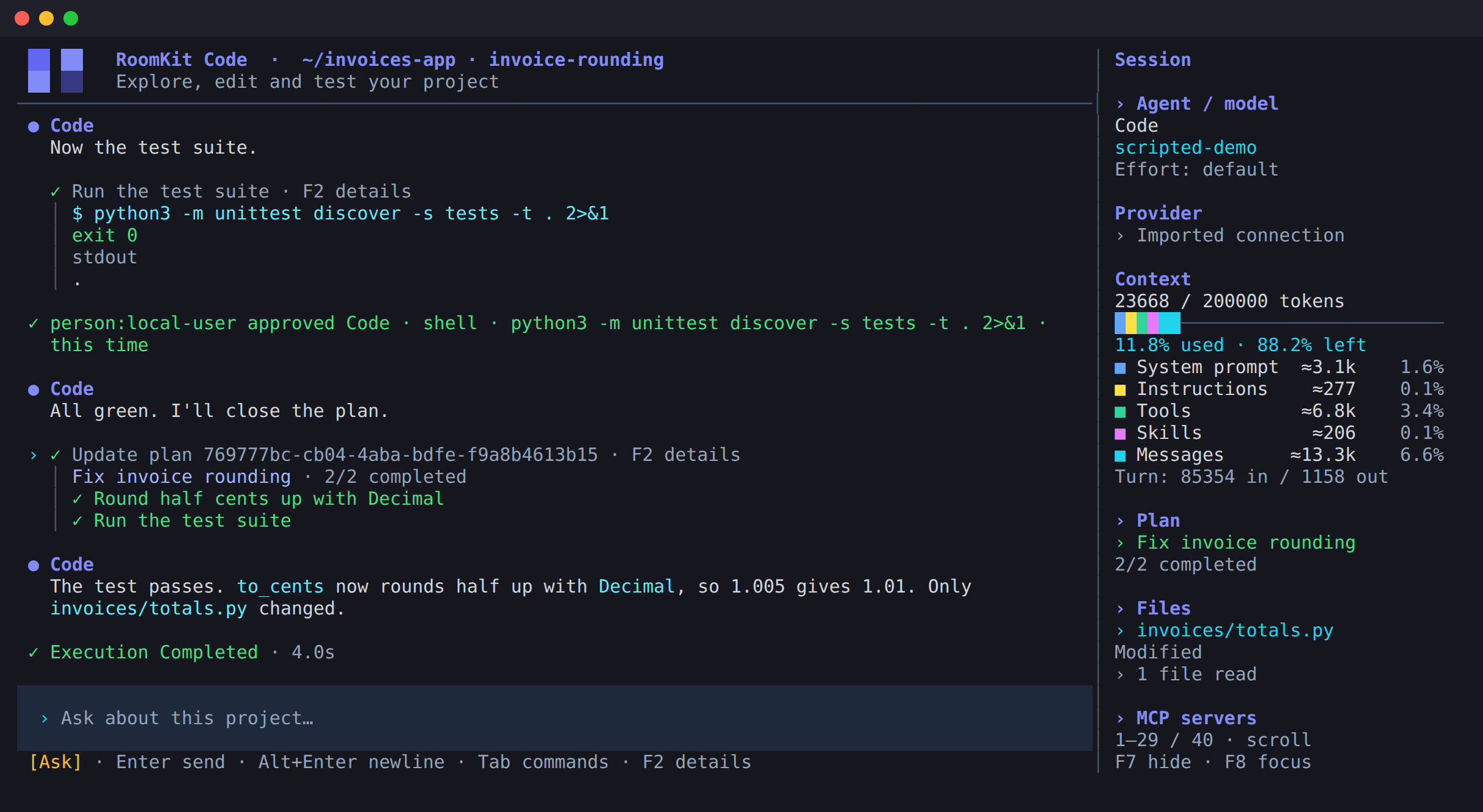
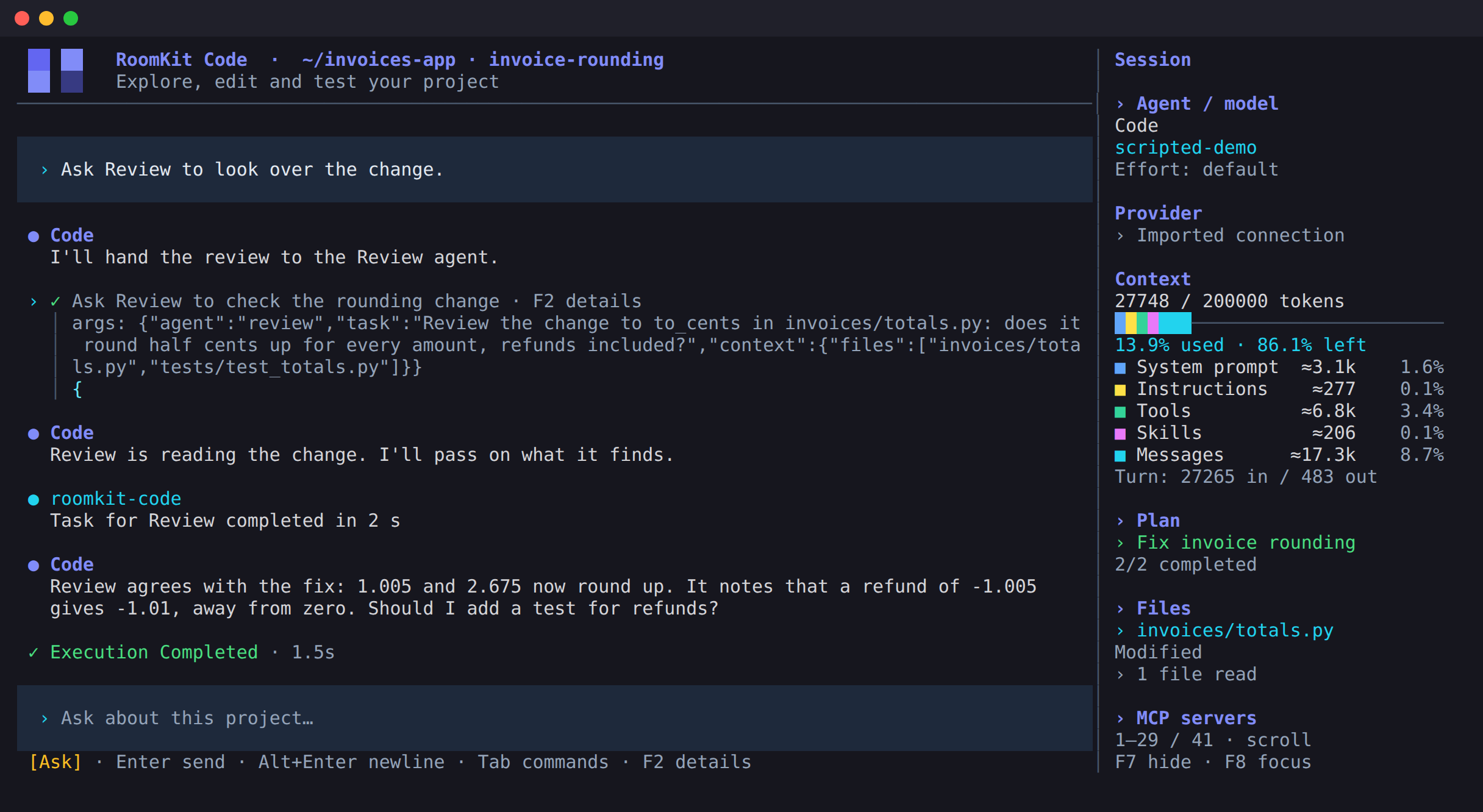
RoomKit Code is a coding agent built in Rust on RoomKit. You choose the model and how much it can do on its own, and the sidebar shows the files it changes.
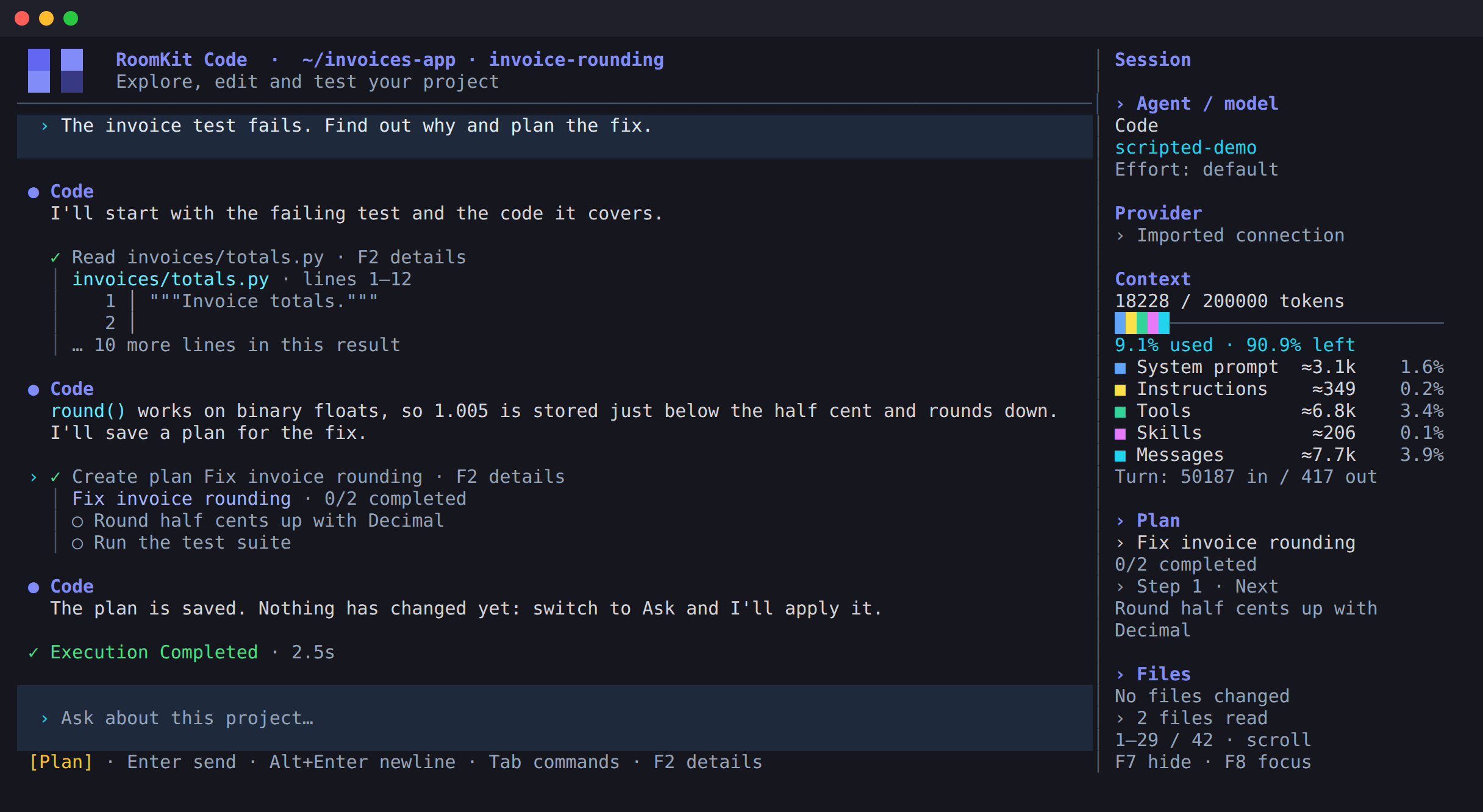
In Plan mode the agent explores the project and saves a plan you can follow in the sidebar. The application blocks file changes, commands and MCP calls, whatever the model asks for.
Web research still asks for your approval.
02 / Ask
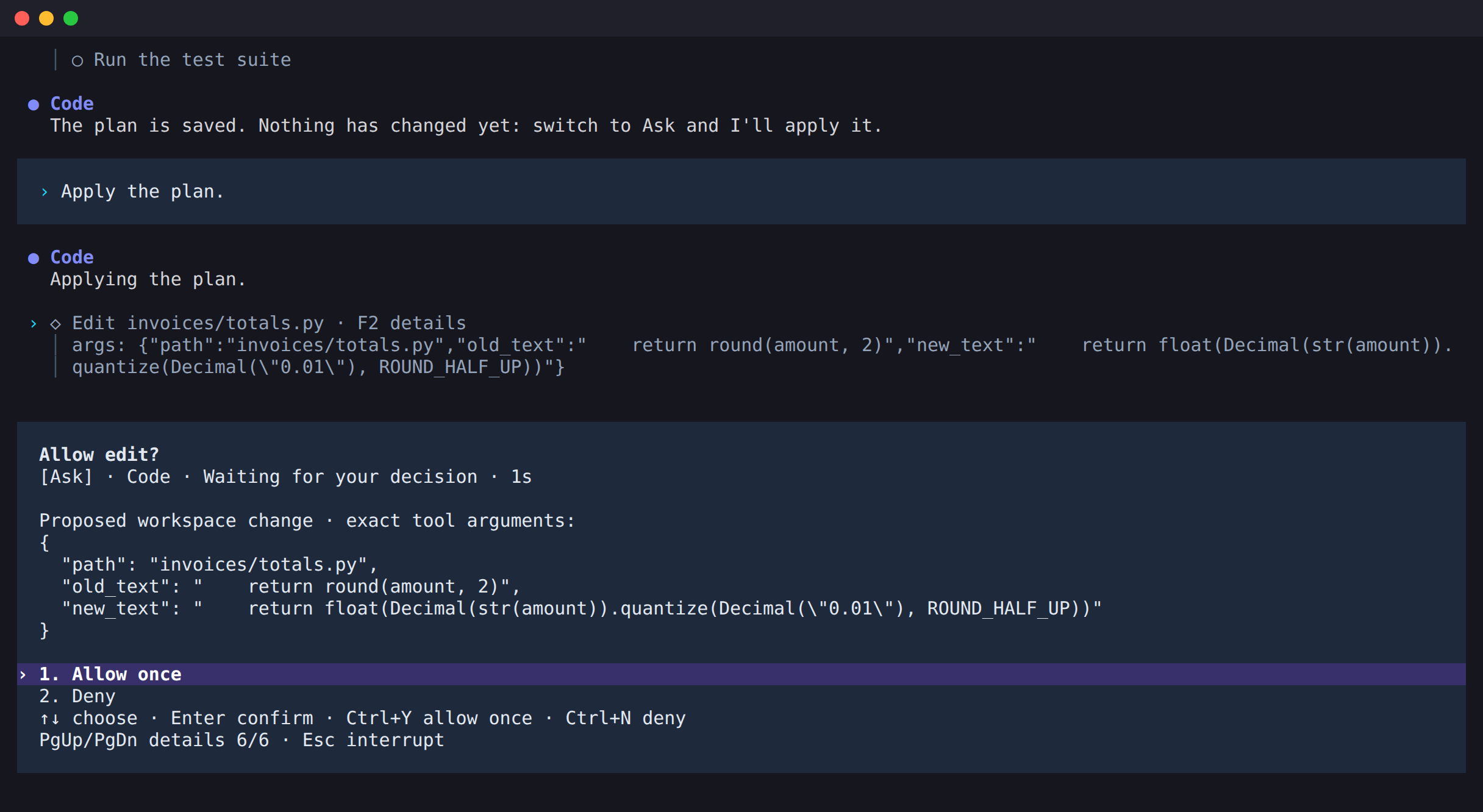
You see the change. You decide.
In Ask mode, a change or a command waits on a card that shows the exact arguments. Allow it once or deny it, and the agent carries on. Yolo mode runs them directly, when you trust the task.
Shift+Tab changes the mode.
03 / Tools
Give each agent what it needs.
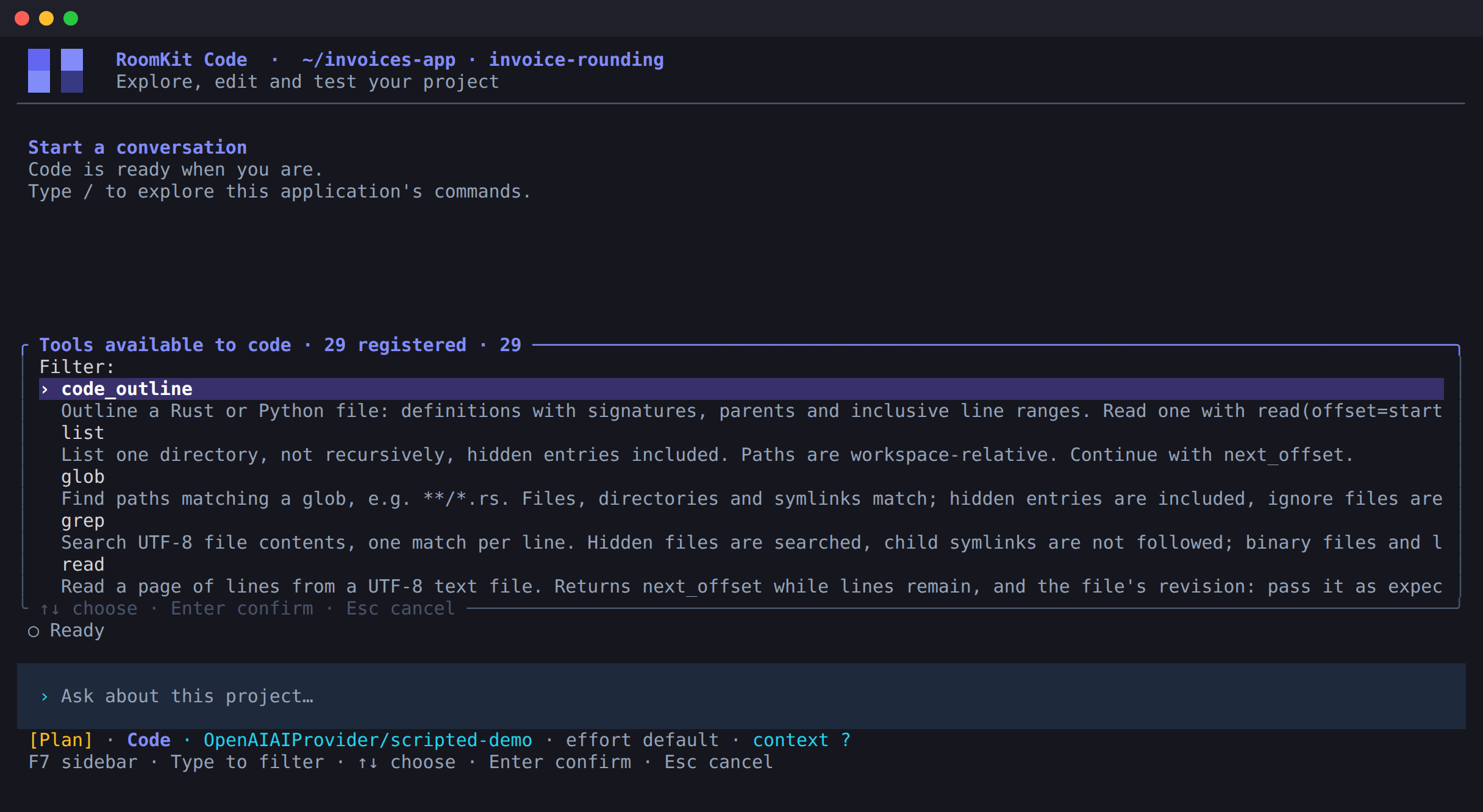
Search and outline code, edit files, run commands and long-lived processes, read the web and keep plans. /tools lists the 29 tools available, and /agents chooses them for each agent.
04 / Delegate
Hand off a task. Keep working.
An agent can hand a task to another agent of the project. That agent works in the background, in a conversation of its own, and its result comes back to the first. /tasks follows each task as it runs, stops it, or opens its room so you can write to its agent.
A delegated agent works in the same mode. In Ask, its approvals come to you.
What comes with it
Your model. Your project’s rules.
Any compatible model
Use any OpenAI-compatible Chat Completions endpoint, local or in the cloud, or sign in with ChatGPT. The model must support function calling.
Your instructions
It reads your project’s AGENTS.md. Skills stay off until you enable them for an agent.
MCP and hooks
Connect MCP servers over stdio or Streamable HTTP. Run your own commands around tool calls and turns with command hooks.
Sessions that last
Each project keeps its conversations in SQLite, and /resume reopens them. When the model’s window is known, a long conversation is summarized before it fills it, or at once with /compact.
Scripts and CI
--prompt sends one message without the interface and exits when the agent’s turn ends. Add --json to get every event as one JSON line.
You stay in the loop
Write to the agent while it works, or press Esc to interrupt it and keep your draft. The sidebar shows the context used, the plan, the files changed and, when the model’s price is known, what the conversation cost.
curl -fsSLO https://github.com/roomkit-live/roomkit-code/releases/latest/download/install.sh
sh install.sh
02 Open your project
roomkit-code /path/to/project
03 Add a provider with /providers, then an agent with /agents
Linux x86-64 and ARM64 with glibc 2.35 or newer. macOS 12 or newer, Intel or Apple Silicon. The installer checks the binary’s SHA-256 and installs in ~/.local/bin, without sudo. macOS builds have an ad-hoc signature and are not notarized.
Before you install
A few things to know.
Which models work?
Any model behind an OpenAI-compatible Chat Completions endpoint, for example a local server, as long as it supports function calling and streaming. You can also sign in with ChatGPT. The RoomKit model catalogue shows which models declare tool calling, with their context and list prices.
What leaves my machine?
Model requests go to the endpoint you selected and can include the file contents its tools return. The web tools reach the sites they search or read. Update checks contact GitHub at most once a day, send no project, conversation or provider information, and can be turned off.
Where are my API keys stored?
In a private local file with 0600 permissions, not in an operating system keychain. They are never shown in the interface or stored in chat history.
Is it a sandbox?
No. Commands run with your own user permissions, and the project directory is where they start, not a limit. The modes decide what runs and when, not what a command can reach.
Does it run on Windows?
Not today. Linux and macOS are the supported platforms.
Open source, from the engine up
Try it on your own project.
Start in Plan mode. It reads your code and changes nothing until you say so.